How to Configure Command Permissions on Discord
Ultimo aggiornamento: 20 gennaio 2026
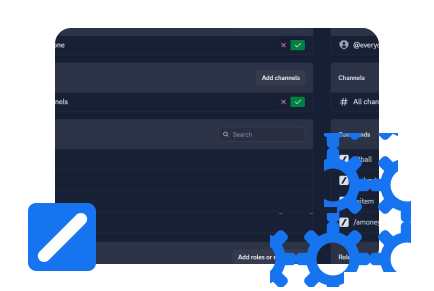
NoteYou can only configure permissions on the desktop version of Discord. If you're on mobile, you can use the web version , but it lags as it's not adapted for mobile.
Set up Command Permissions
You can configure the permissions of any slash command on Discord. In this tutorial, we'll use Noctaly as an example, but it works with any bot. You can invite Noctaly by clicking here .
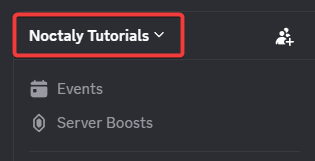
- Go to your Discord server and click the Server Name in the top left.
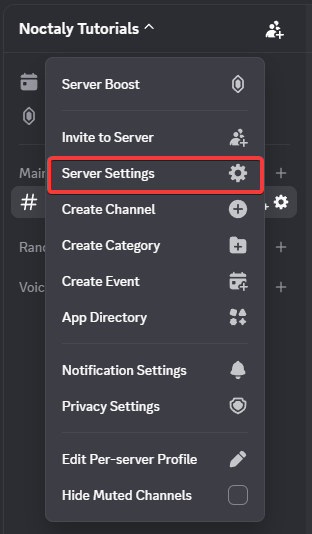
- Select Server Settings from the dropdown.
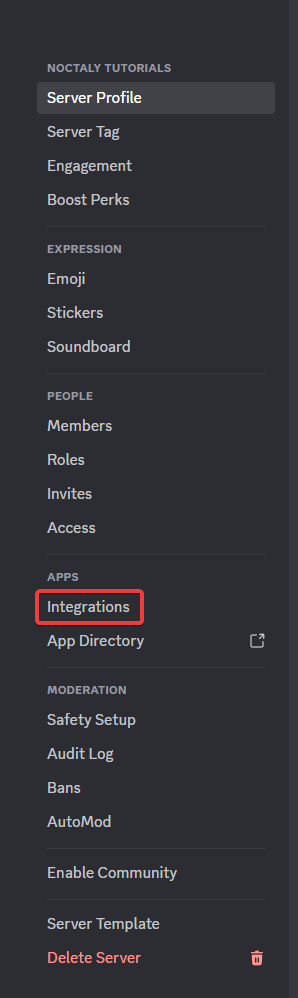
- Open the Integrations tab.
- Click on Noctaly in the list of bot integrations.
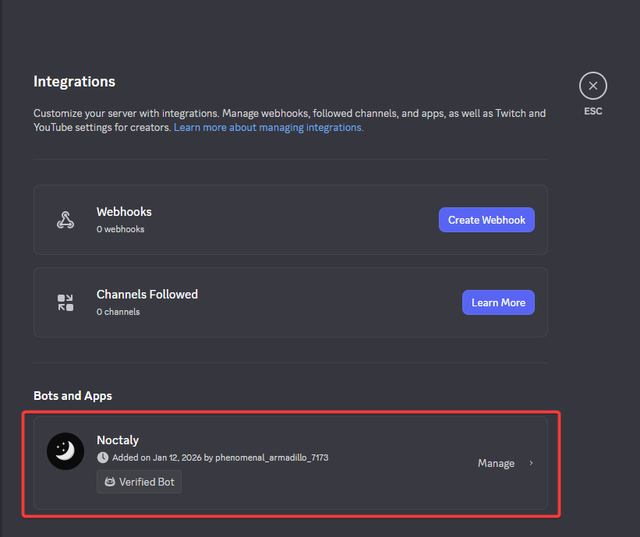
Manage Command Permissions
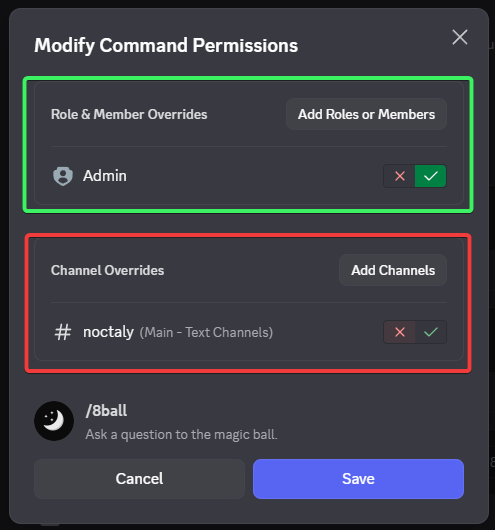
Inside the Noctaly integration settings, you can control which commands are usable by which roles or channels.
Search for the command you want to manage. For this tutorial, we will use /8ball as an example.

After selecting the command, you can change its permissions:
- Add roles or channels to choose who can use the command
- Click on ❌ to disable the command for a role or channel
- Click on ✅ to enable the command for a role or channel
- If you only choose specific roles or channels, then only those roles or channels will be able to use the command
You can repeat this process for any slash command to customize how the bot works in your server.